Next case study
Eliminating stalled contract signing



FEB – MAY 2024
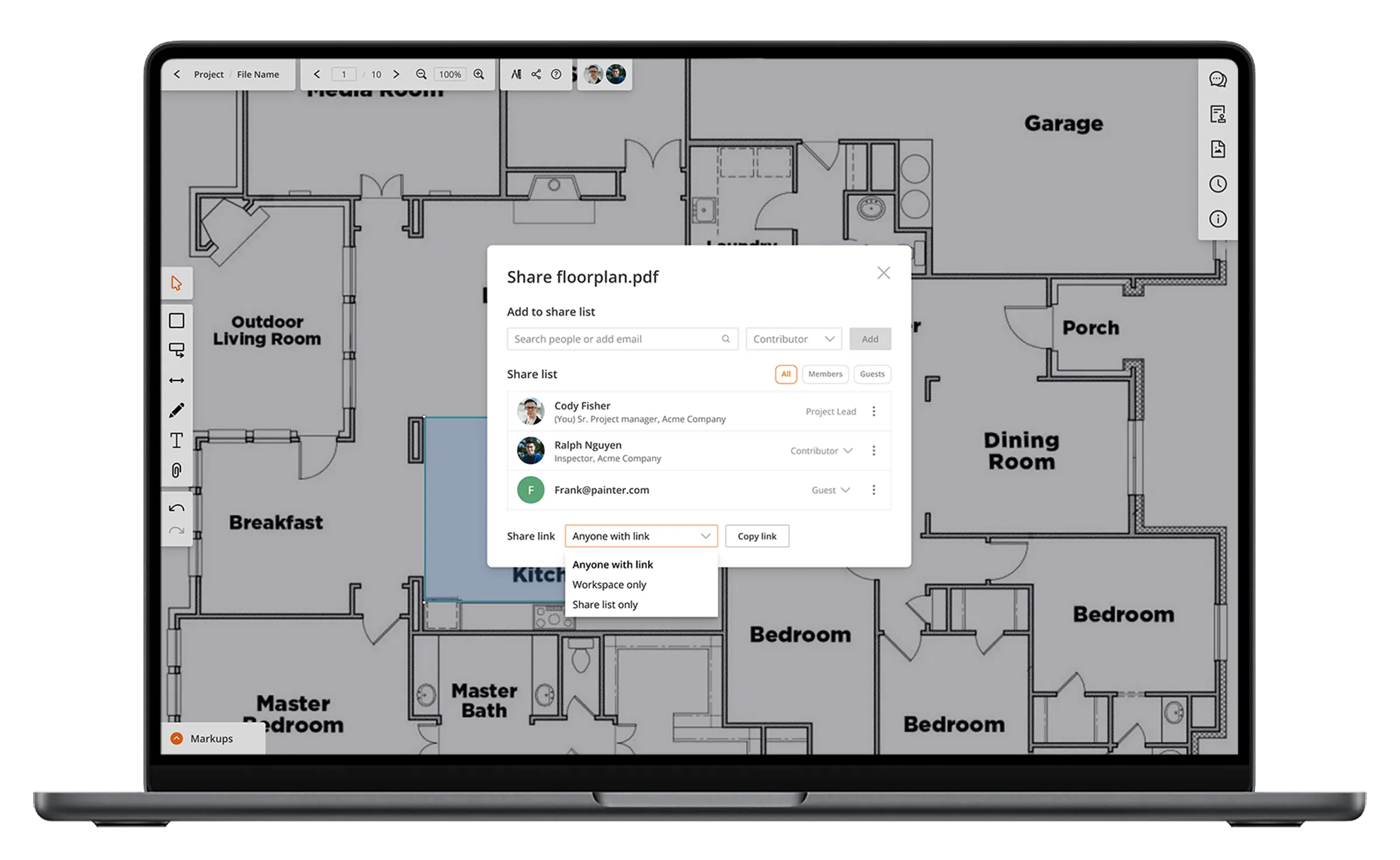
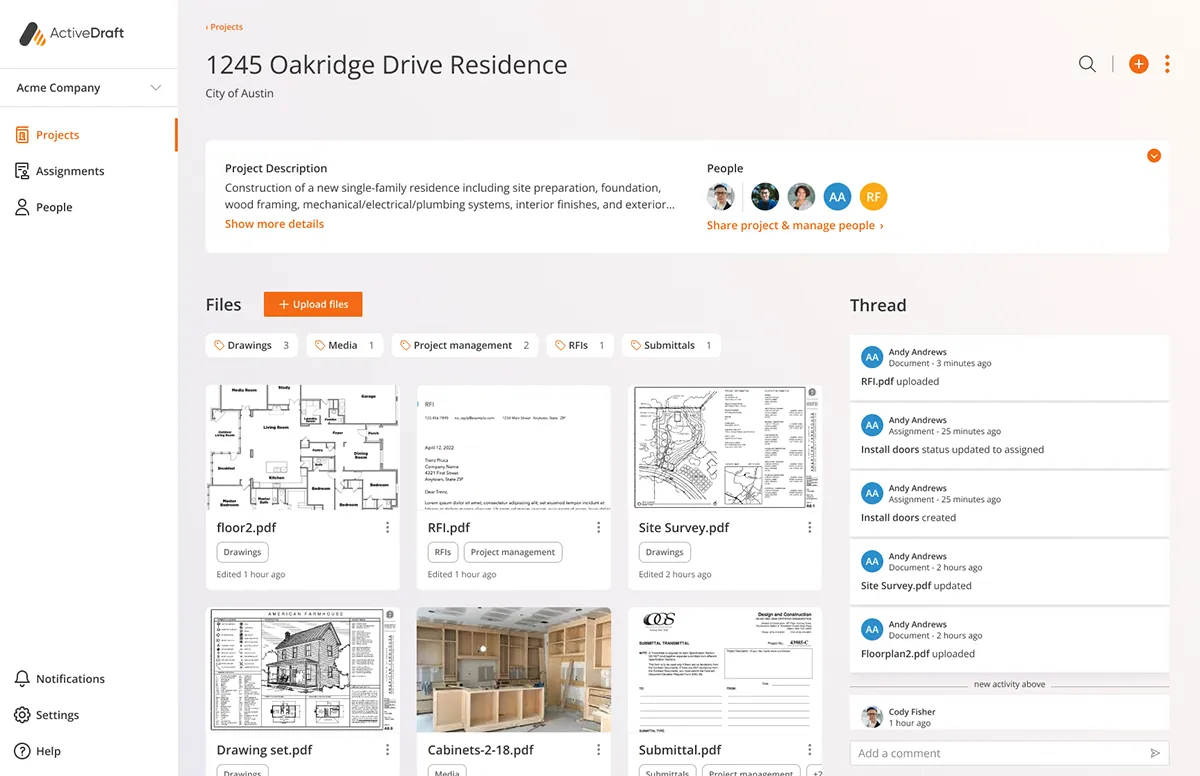
Supporting collaboration was a key product initiative as ActiveDraft prepared for launch. My work explored and defined our file access and sharing experience which celebrated collaboration without compromising file security.

Establish a foundation for file level access

Craft ActiveDraft’s file sharing experience

Develop a new guest role & experience for external partners
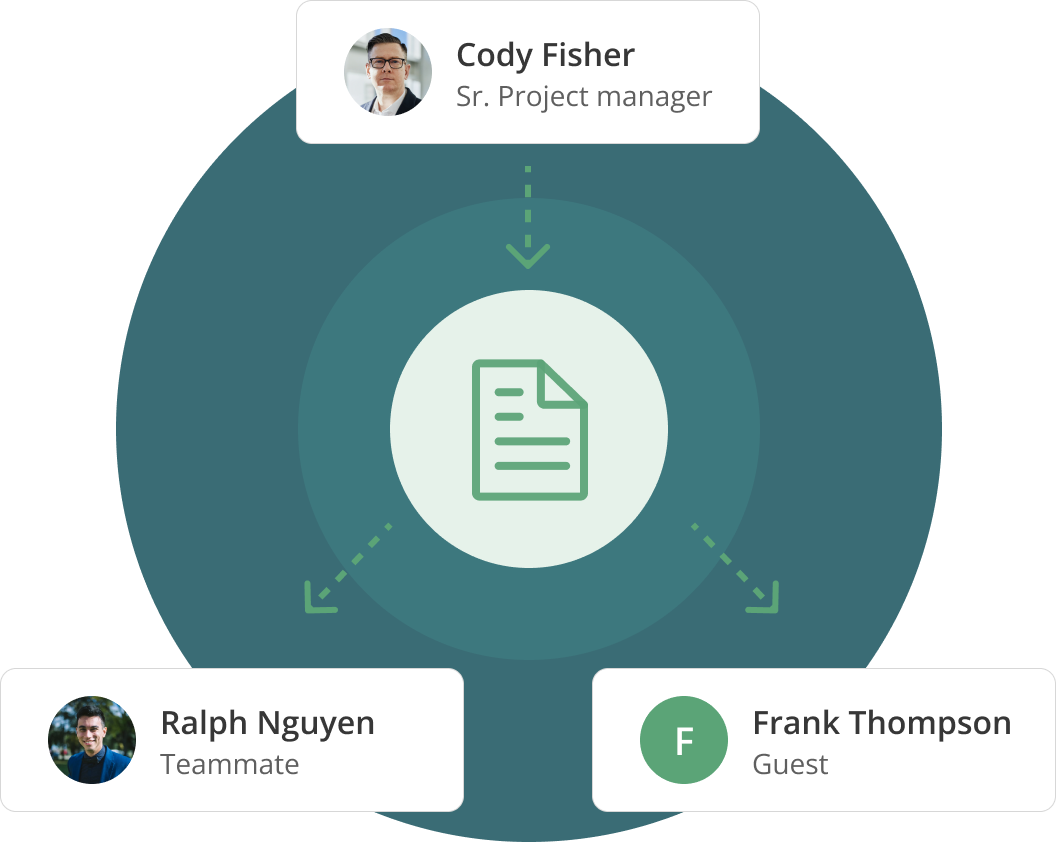
By shifting from project sharing to file sharing, I unlocked new collaboration paths for our users to work with external partners and maintain file security. This addition allowed ActiveDraft to market to larger construction companies and restructure our seat pricing.

Unlock user adoption

Seat growth

File security
File management is not just storage; it’s the system that keeps decisions, accountability, and collaboration aligned throughout the project. Construction projects involve many collaborators each producing documents that define scope, cost, and responsibility.
As I saw it, each collaborator needs access to the files that enable their work, but not to sensitive documents outside their responsibility.
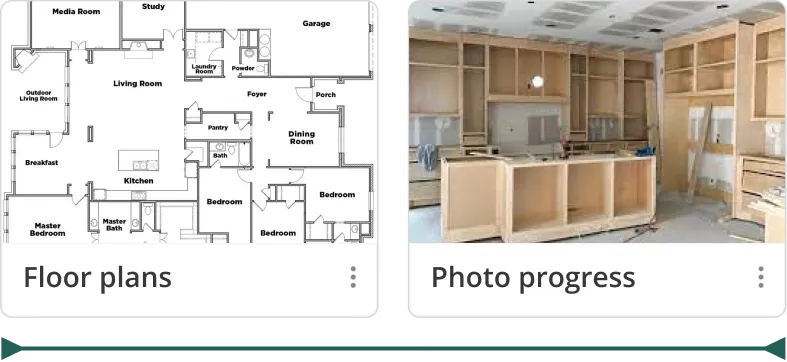
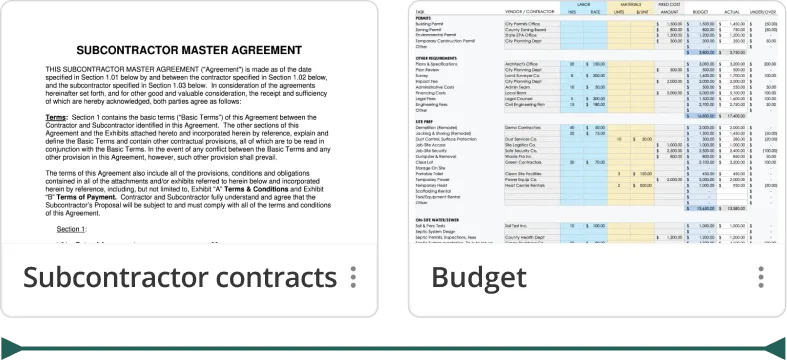
To connect users to the right files, I pulled heavily from our user research repository and contractor interviews to understand construction team collaboration patterns.
To guide myself in creating flexible file permission levels, I defined file access variables to capture unique collaboration scenarios.


With these variables, two primary sharing methods emerged to support both lightweight access and structured collaboration:
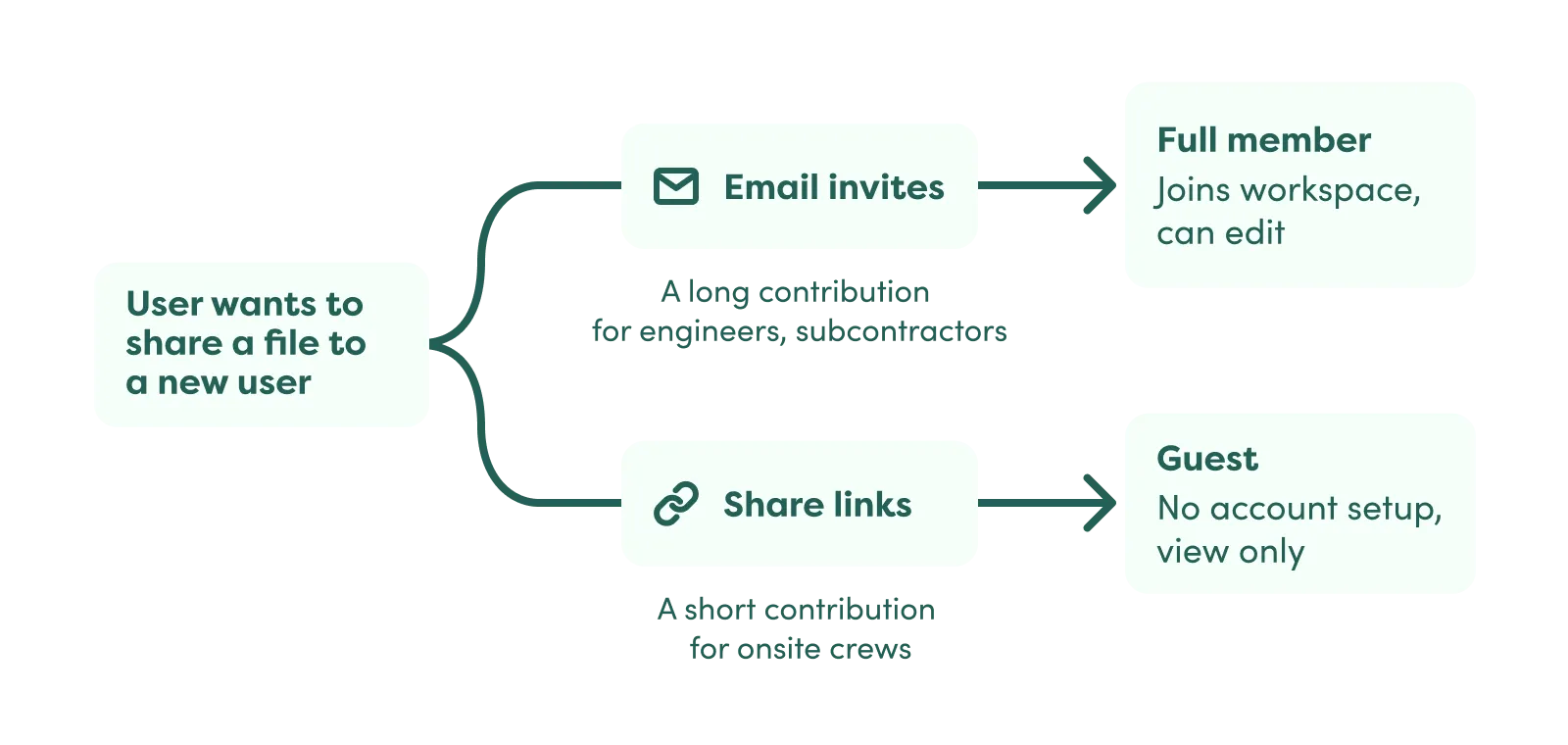
The challenge of sharing a file by link is determining who should be able to access it. At first, I focused on creating very granular levels of security to accommodate a variety of team structures.
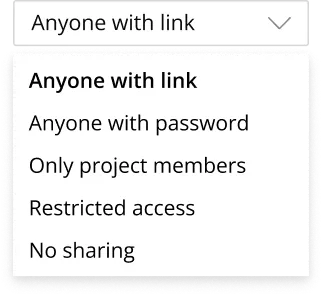
• Anyone with link: View-only access for ActiveDraft users or external guests.
• Anyone with password: View-only access protected by a shareable password.
• Only project members: Access restricted to users already added to the project.
• Restricted access: Limited to specific roles such as project leads.
• No sharing: Link disabled and access revoked.
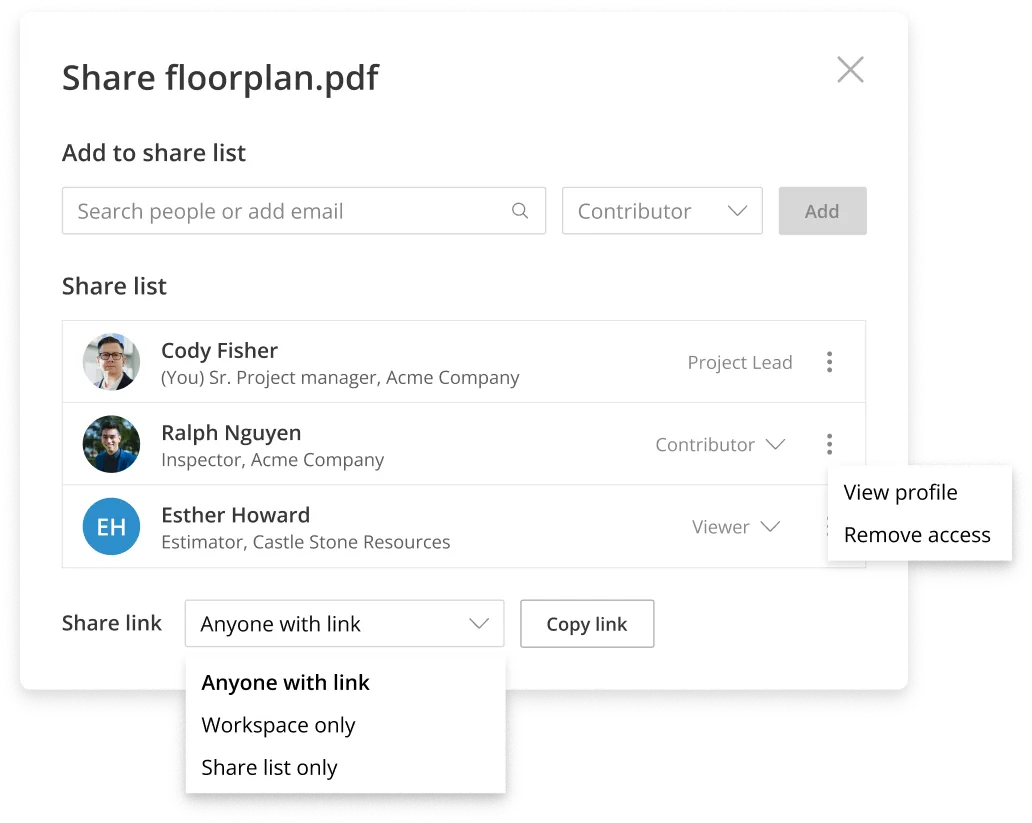
After presenting my options to our engineers, I simplified to 3 permission levels. I learned that I could utilize the project and file permission inheritance better in a “Share list only” option. We agreed to use password protection after validating this foundation.
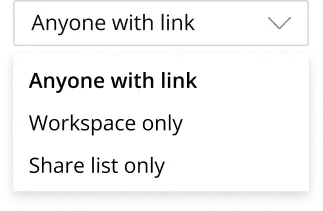
• Anyone with link: View-only access for ActiveDraft users or external guests.
• Workspace only: Access restricted to users already added to the project.
• Share list only: Access restricted to users added to the share list.
After establishing how to protect sensitive files, I explored how our users could share files. This key collaboration point occurred in the document markup page, when users wanted input from their team and subcontractors.
Sharing needed to invite new users, set share link permissions, and manage user access. I crafted multiple modals to explore how to surface each of these controls, balancing ease of use and future scalability.
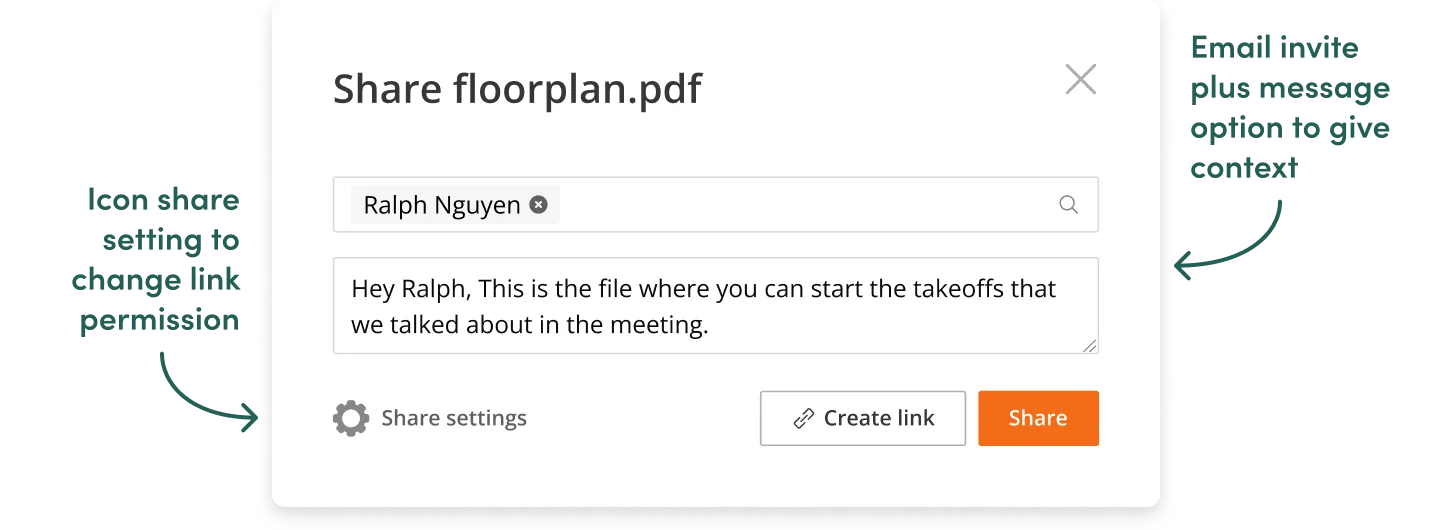
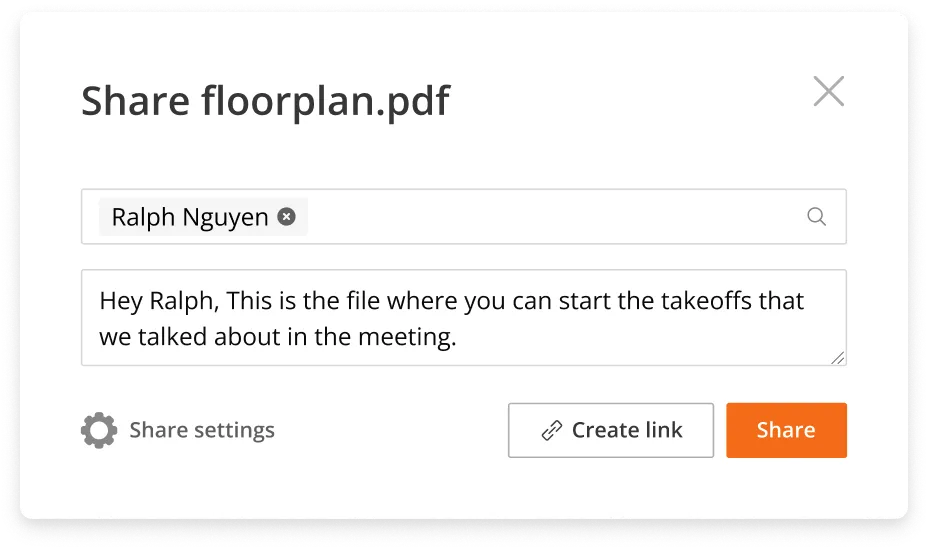
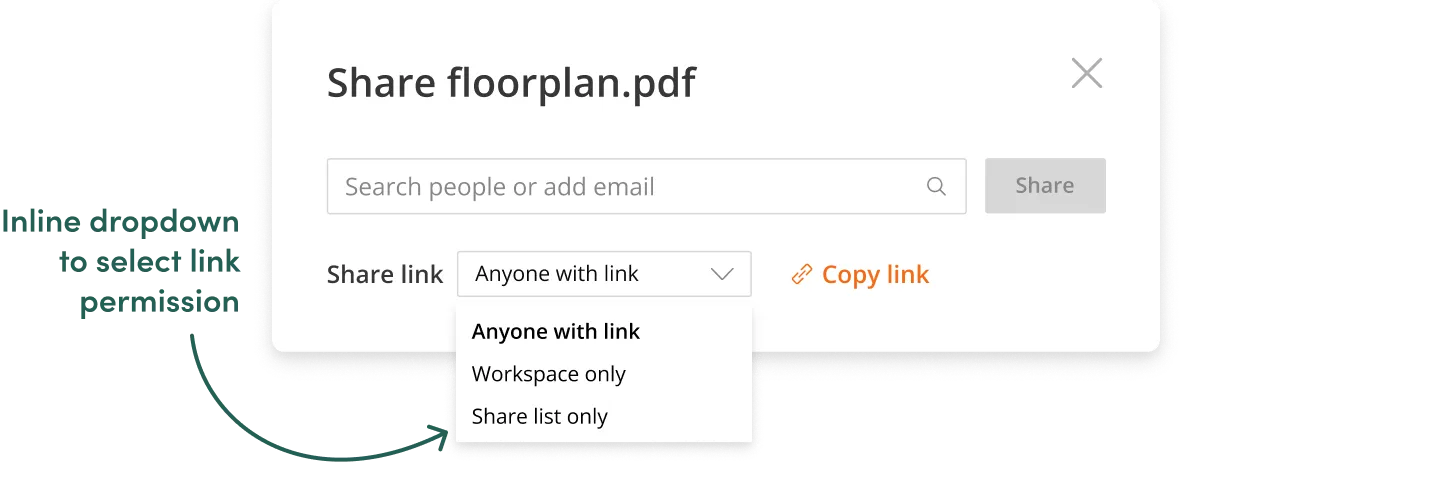
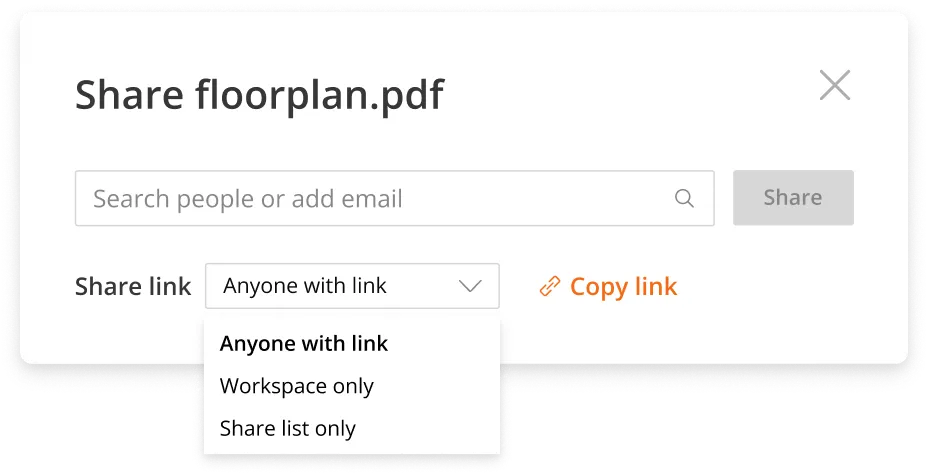
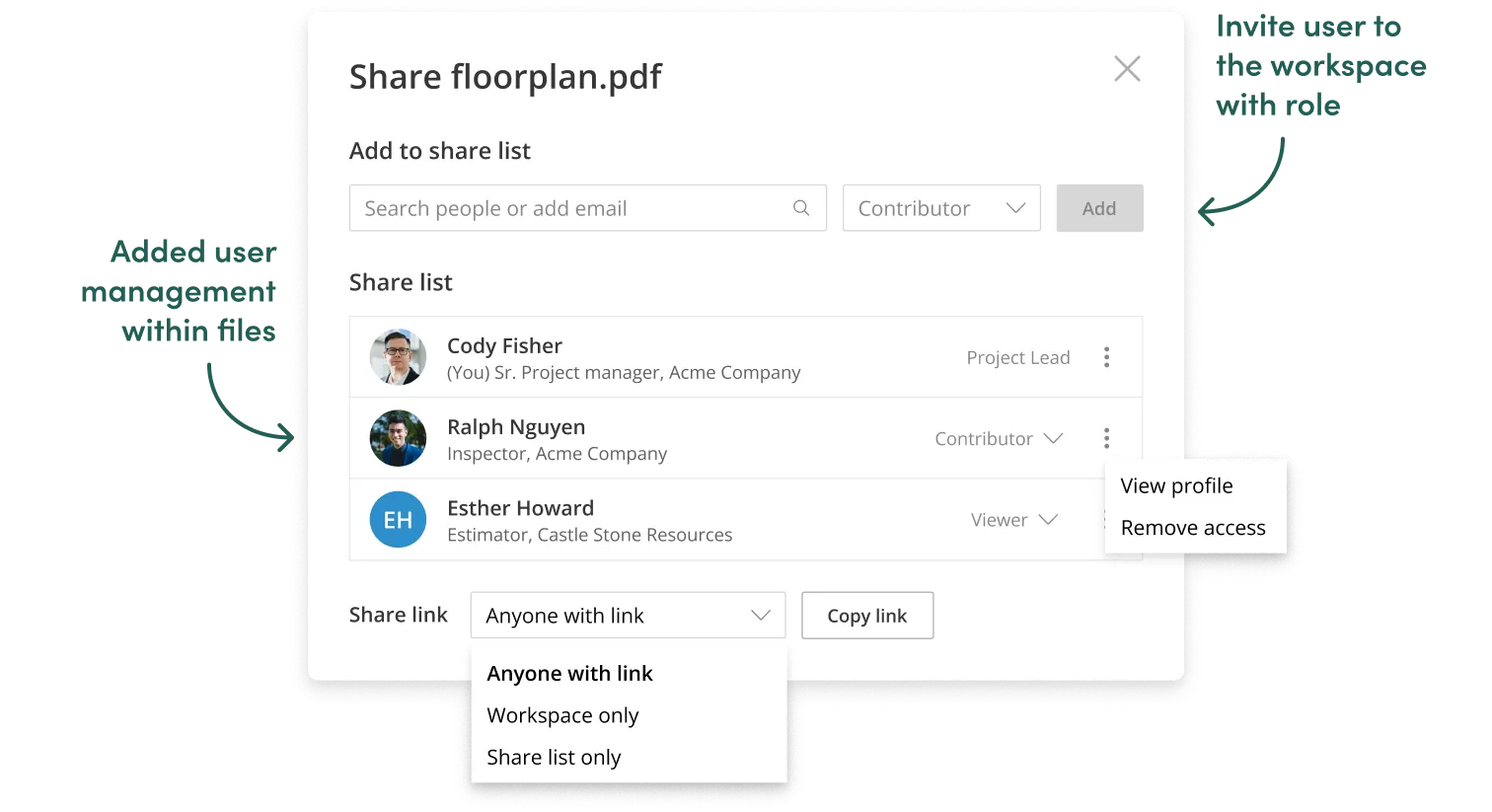
After presenting early options to the team, I chose the dropdown option since it’s visibility reduced discoverability friction. In the next iteration, I introduced file user management and created sections within the share modal to guide users.
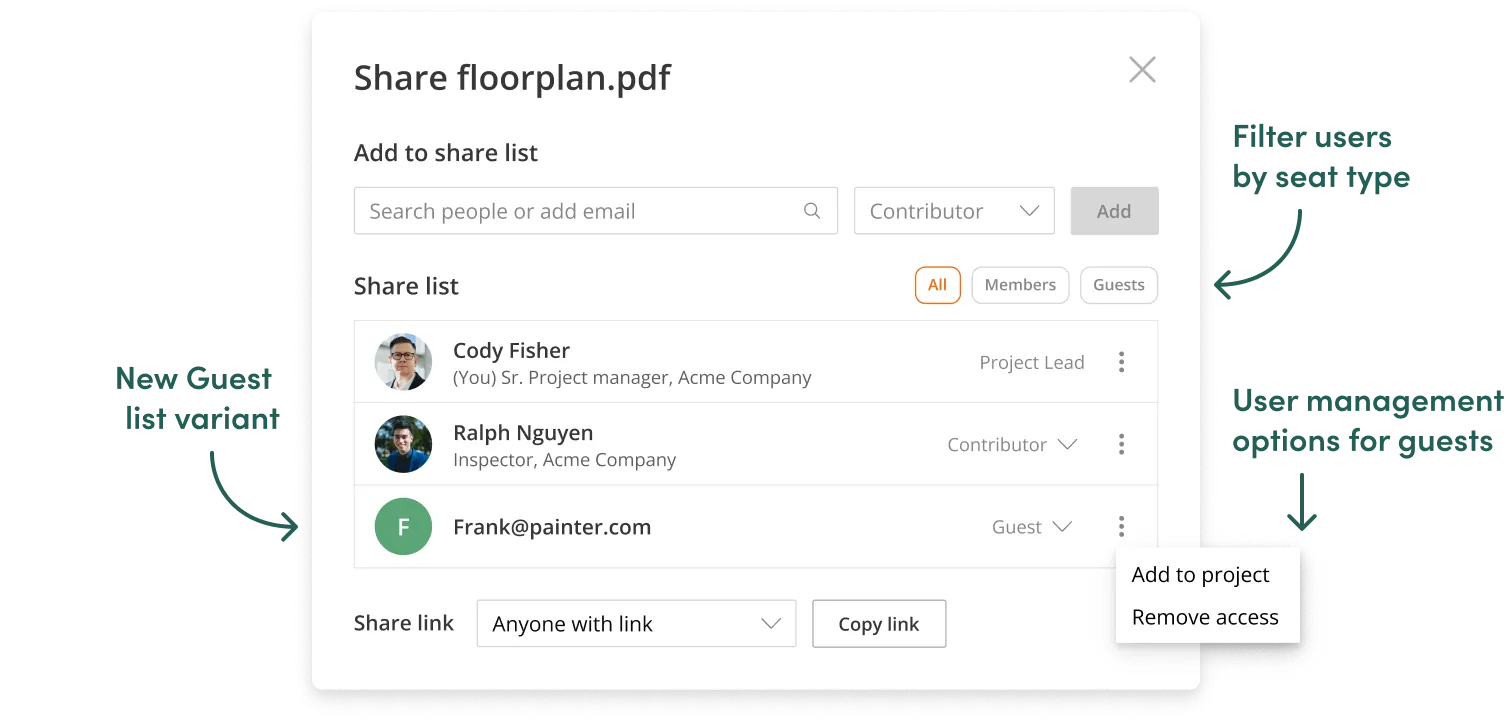
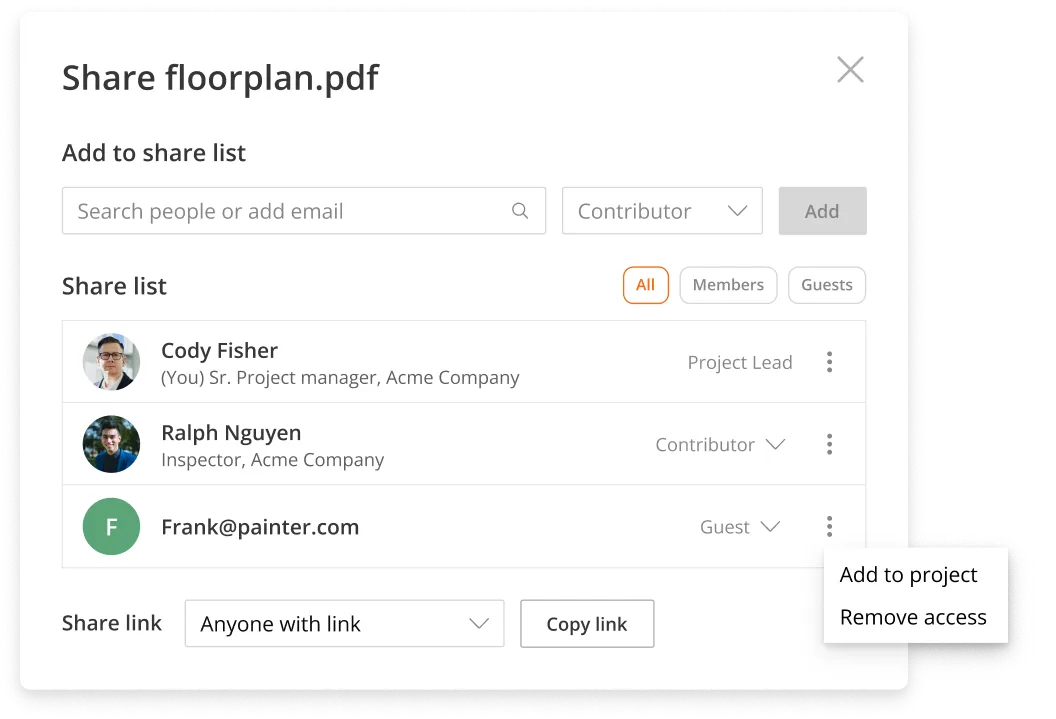
As file sharing expanded collaboration beyond workspace seats, I needed to design a document experience that matched the new Guest role.
Guests were external users who needed document context without full editing access. They required visibility into scale, measurements, and existing markups, but not the complete toolset reserved for ActiveDraft members.
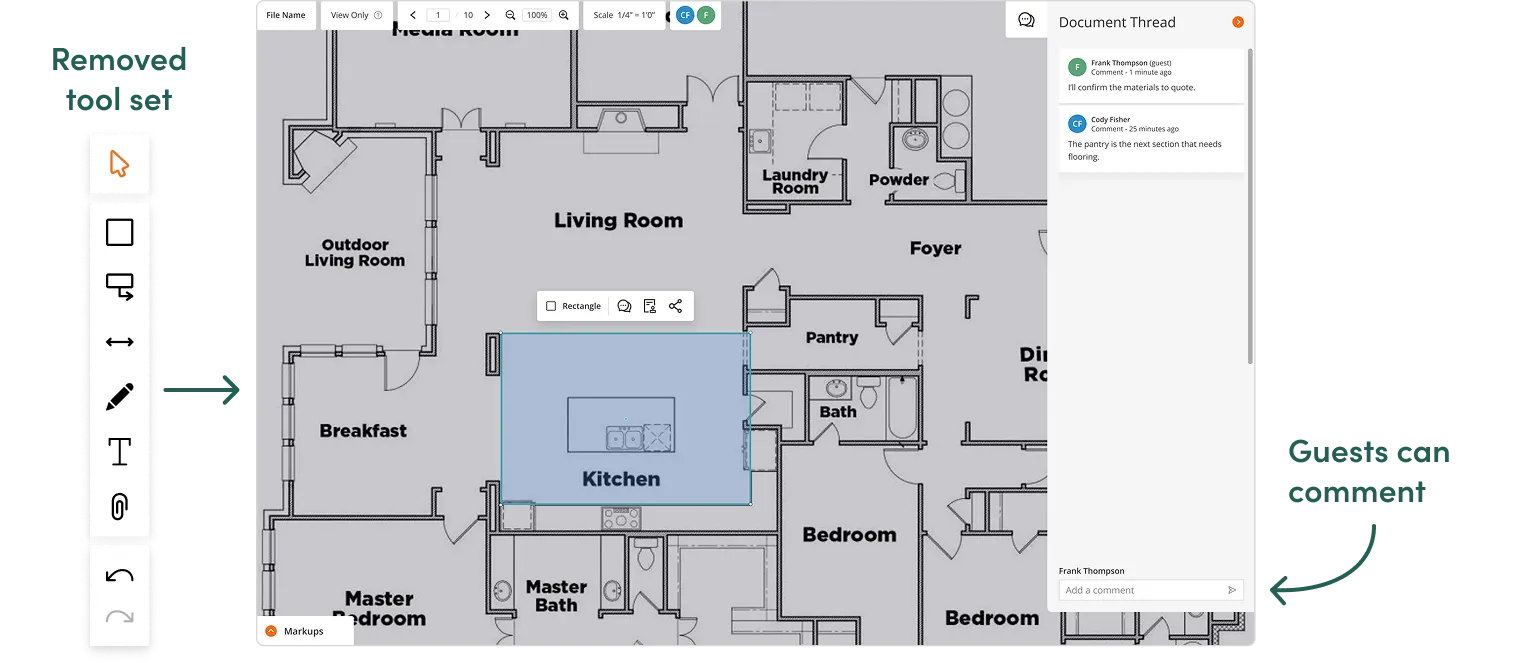
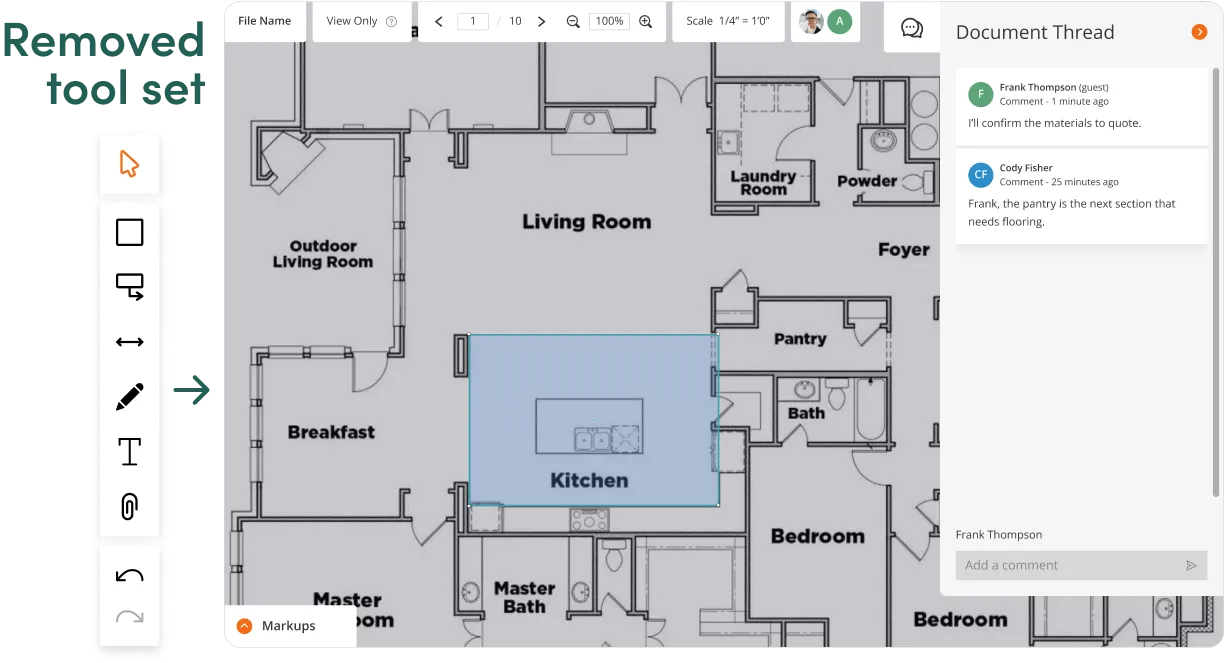
Because guests accessed files through a shared link, they entered anonymously. I designed the comment flow to let guests self-identify by name to support meaningful conversations.
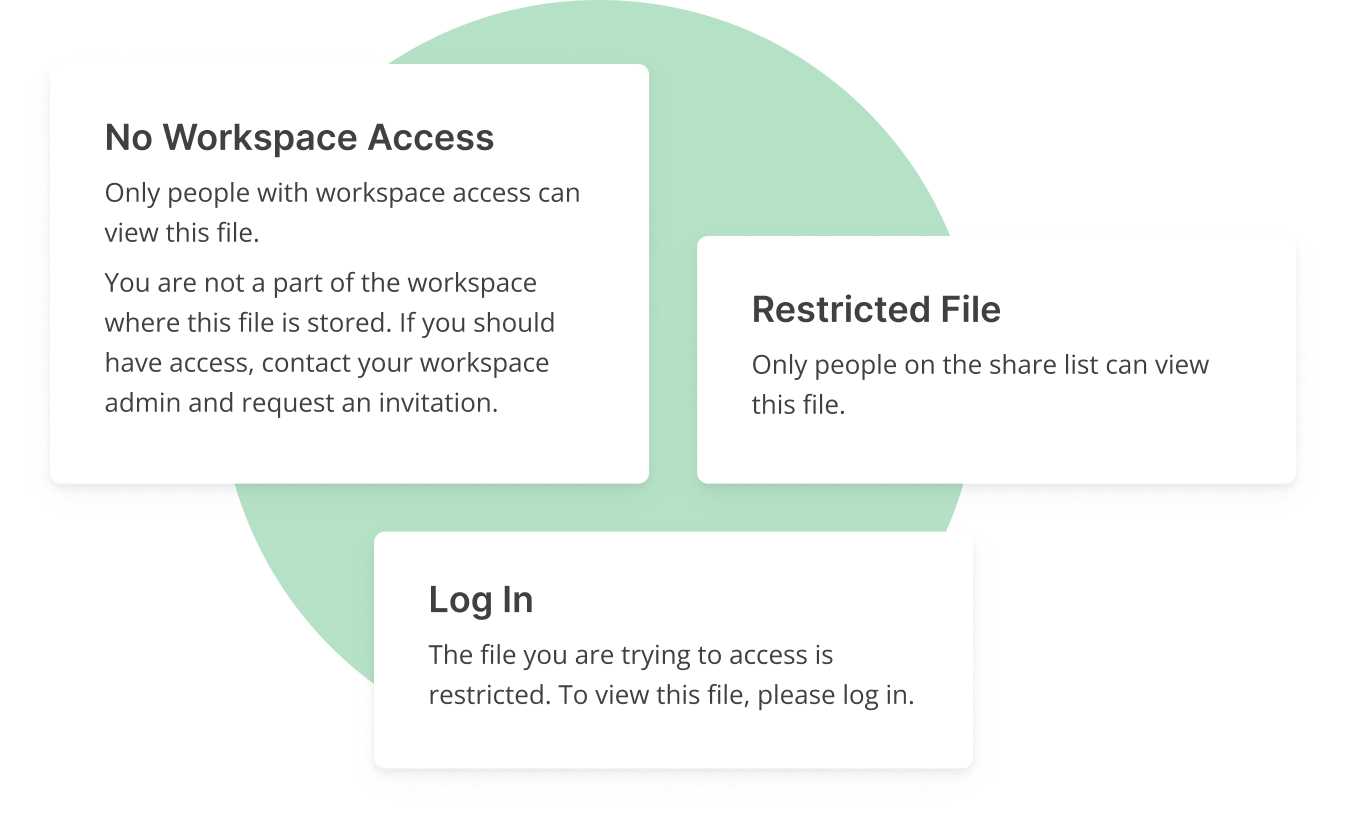
Now that users could set file permissions, it was essential to inform users whether the file was restricted to the workspace or share list users. The team and I determined that the message they received depended on the users’ logged-in status.
After launch, I crafted and conducted two remote unmoderated usability tests with eight participants using task-based scenarios.
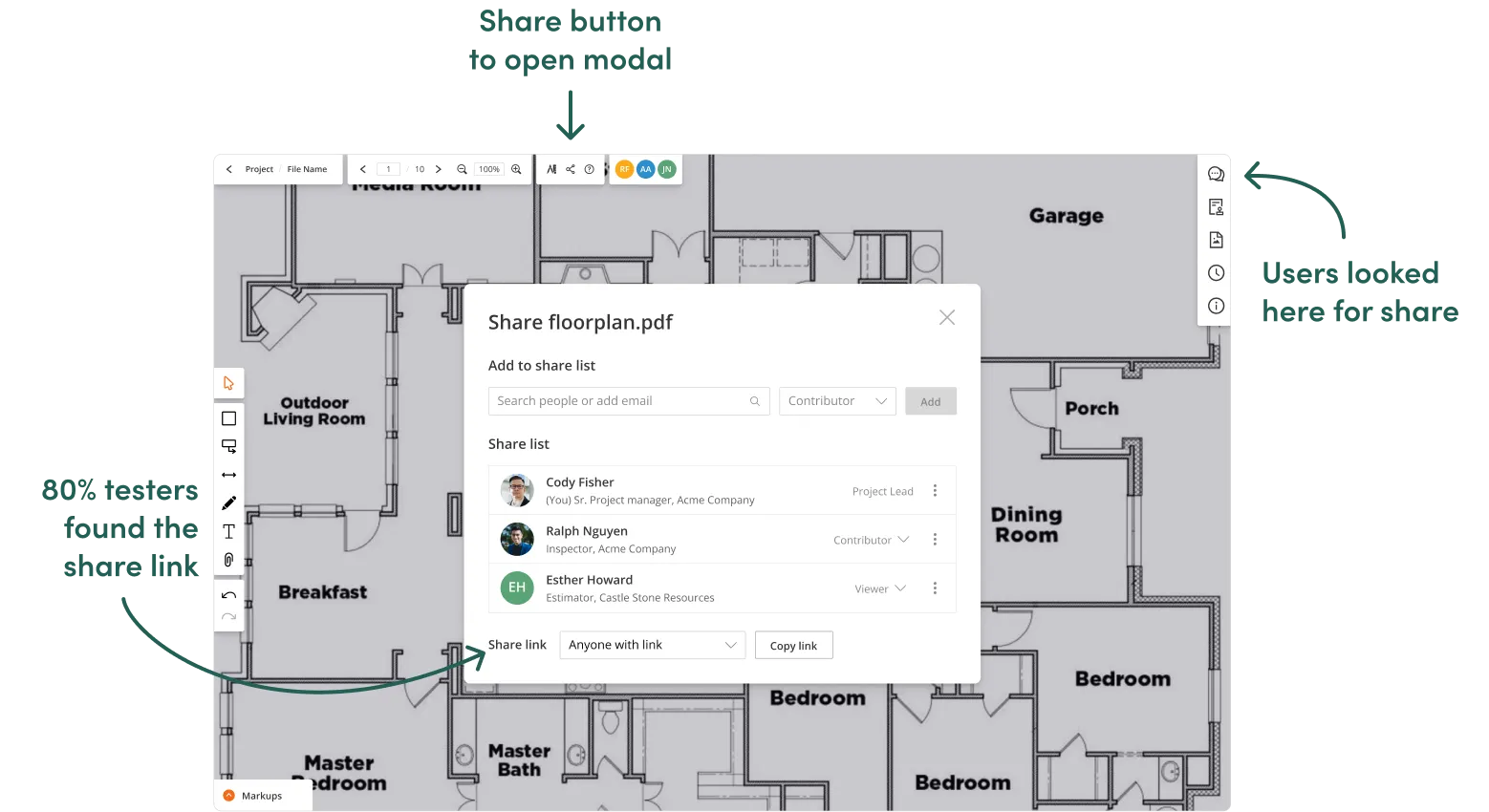
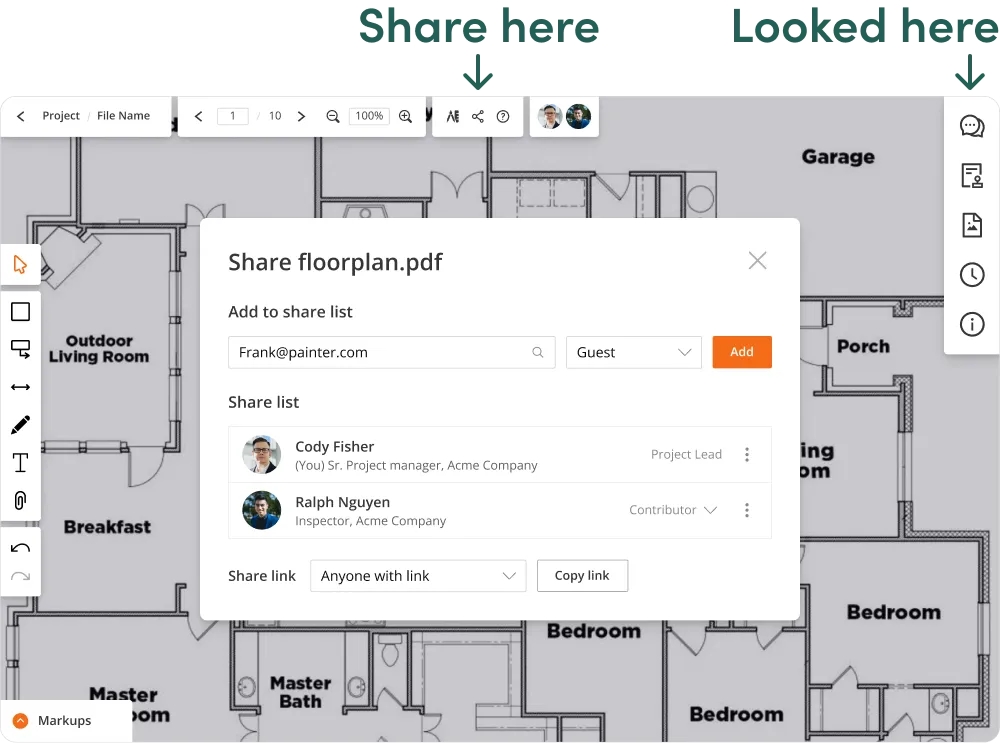

Testing revealed a preference of sending emails, a preference of the construction world, so I added the option to the share list section. Now users could invite guests by email and link, providing further flexible collaboration.
By shifting from project sharing to file sharing, I enabled our users to collaborate efficiently by sharing exactly what they need, when they need it, keeping projects secure. It unlocked product adoption opportunities for ActiveDraft as we marketed to larger construction companies with flexible seat pricing tiers.


File sharing taught me how to design a core feature that spans multiple product areas while working in a fast-paced launch environment. By owning the design end to end, I developed a holistic understanding of the security risks that affect B2B collaboration, informed by documenting edge cases throughout the process.
